Building a Very Slow Movie Player

Inspired by Bryan Boyer and Tom Whitwell, I am building a Very Slow Movie Player (VSMP).

With VSMP,

  • Kiki’s Delivery Service (running time 1h42m): takes 7 days to play (with 1 frame per 20 seconds, as in above demo)
  • Laputa: Castle in the Sky (running time 2h4m): takes 2 months to play (with 1 frame per 120 seconds, as default setting)

Read More

Share Comments

Okta and AWS Control Tower - a happy path demo

This is a happy path demo of setting up Okta as the Idp for AWS Control Tower (via AWS SSO). 
Goal: To utilize users and groups in Okta to manage AWS control tower.

1. Create a brand new Control Tower instance

In this demo, we create the AWS Control Tower instance in a brand new AWS account. During this process, control tower creates several services/components, such as AWS Organizations, AWS SSO, default organizations unit (OU) “Security” and 2 AWS accounts “Log Archive” and “Audit”.

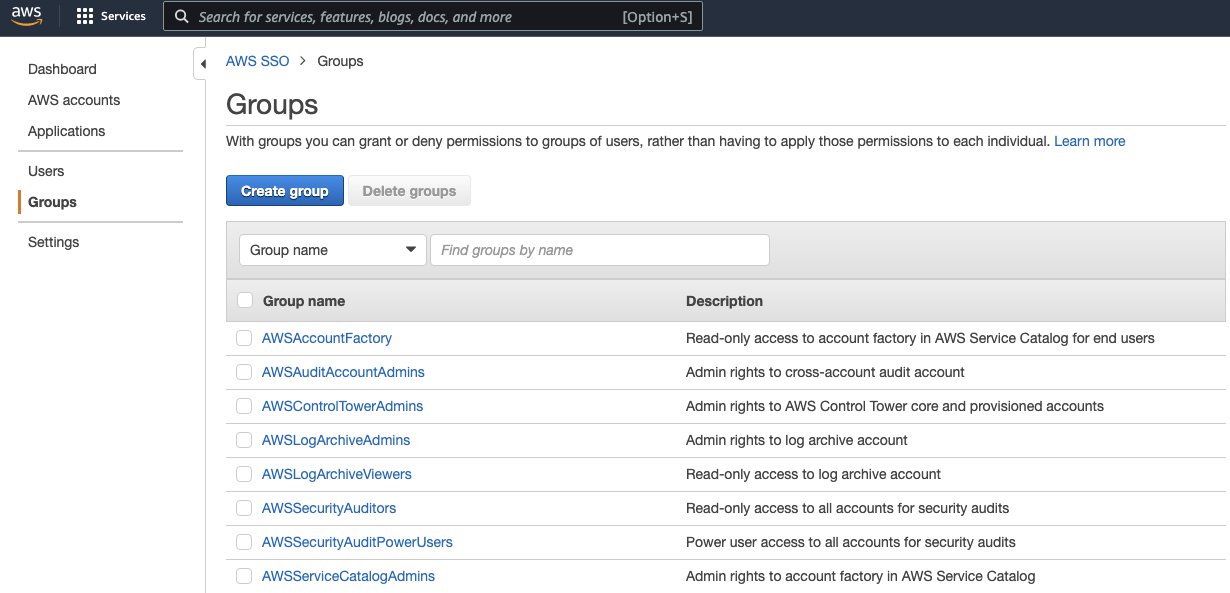
In the AWS SSO, some default SSO user groups are created for managing Control Tower:

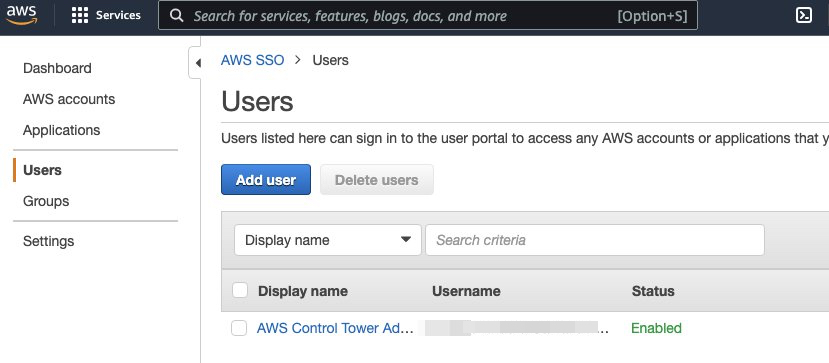
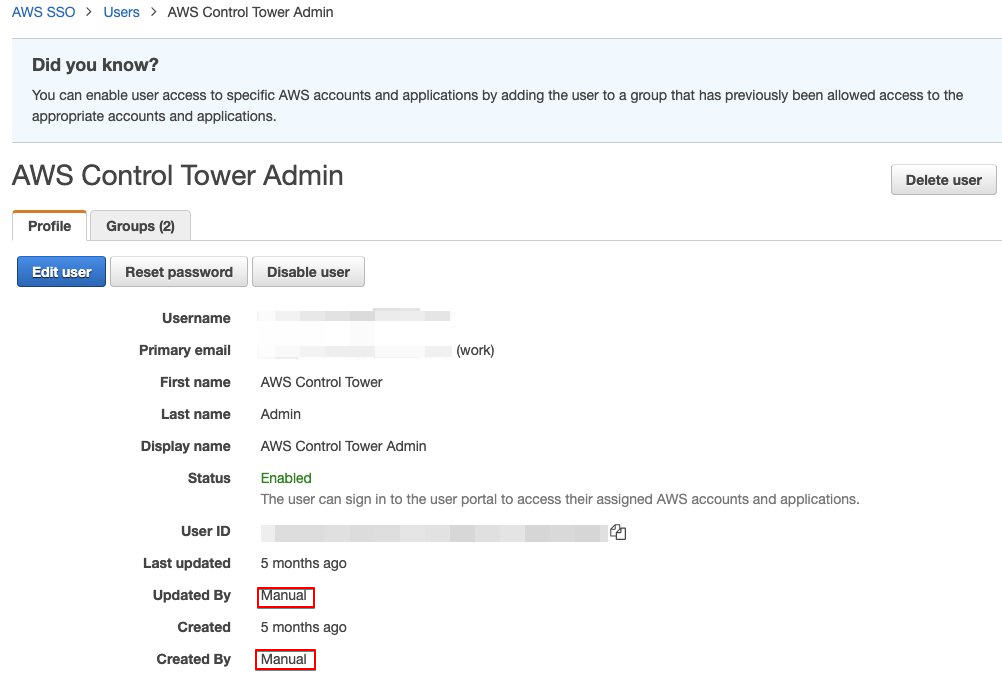
The default admin user for organization management account is “AWS Control Tower Admin”.

Detailed user info

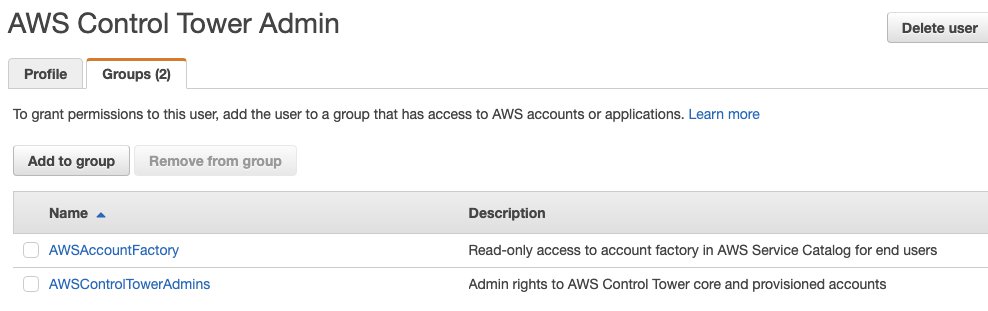
And it belongs to 2 groups: AWSAccountFactory and AWSControlTowerAdmins

Read More

Share Comments

How to build an IoT connected car - Part 2: Data Analytics in the Cloud

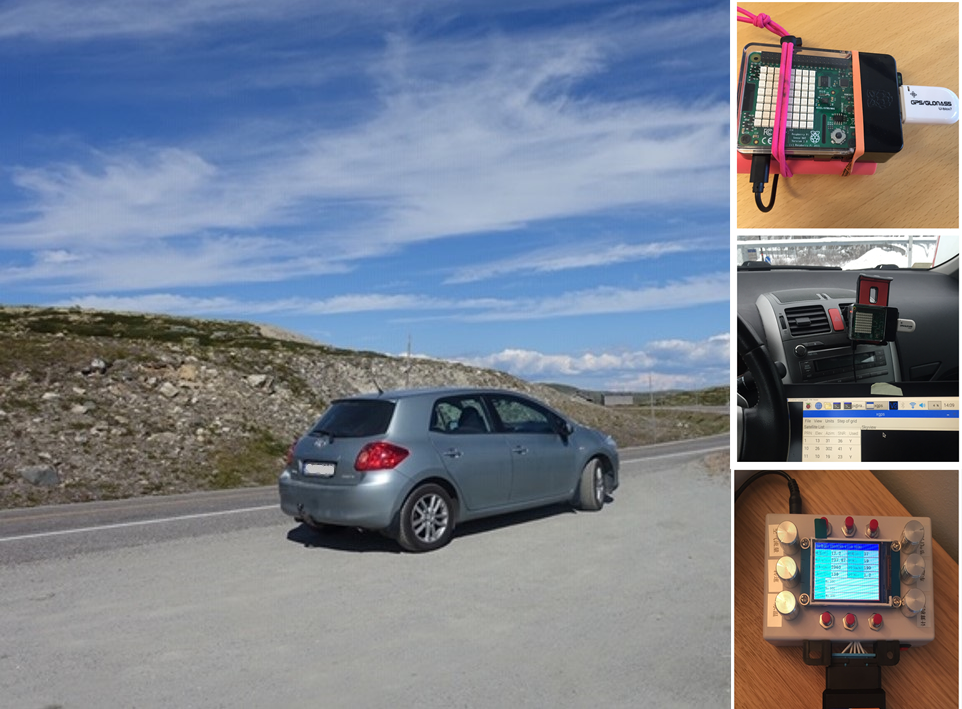
In Part 1, we have talked about the hardware/software running on the edge (the car) for collecting data.

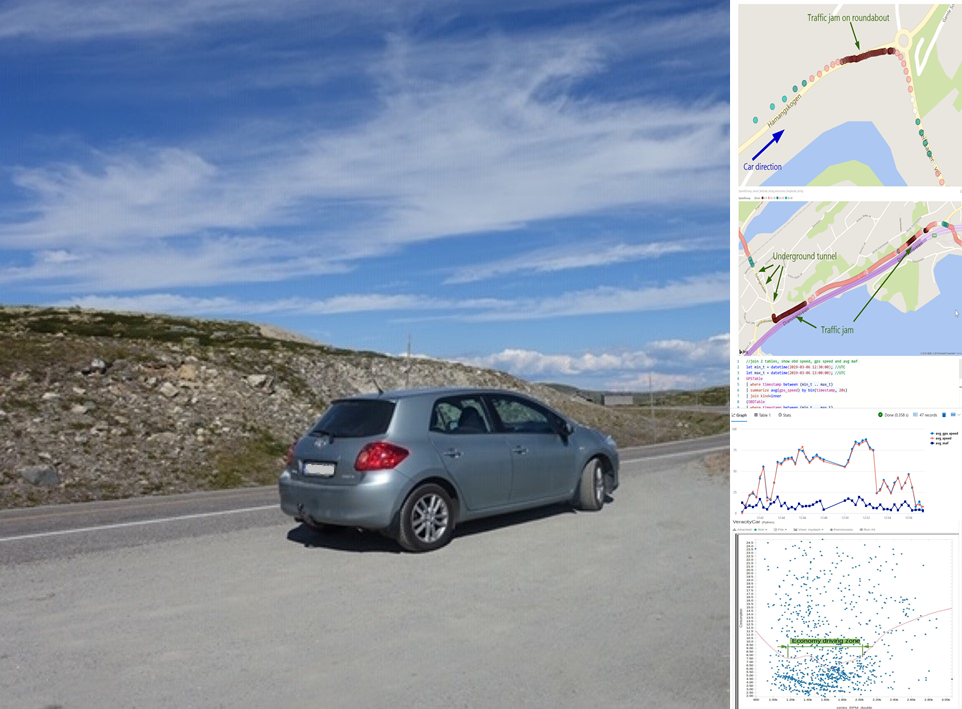
Now we have the data, and how to gain some insights by doing data analytics? I have been using the following products, and would like to share my quick thoughts

  • Azure Time Series Insight (TSI)
  • Azure Databricks
  • Azure Data Explorer (ADX)
  • PowerBI
  • Grafana

Read More

Share Comments

How to build an IoT connected car - Part 1: On the Edge

Previously I wrote a blog about how to measure hamster via IoT wheel. This reminds me another personal project I did back to the winter of 2018/2019, for measuring car performance.

Read More

Share Comments

How to measure your Hamster's running with wireless IoT

We recently welcomed our new family member Qiuqiu (球球) (a girl Syrian/Golden hamster) home. She seems to enjoy the new environment fairly well, but she is a quiet girl - does not show much activities during the day time.

Of course we understand hamsters are nocturnal animals, which means they are sleeping in day time and become more active at night. But I started wondering how she was doing during the nights, especially how much she ran on the hamster wheel.

Let’s do something about it.

Picture: Qiuqiu with her wheel

Read More

Share Comments

Encoding issue when calling API via powershell

Recently we need to fetch a big dataset from an API via powershell, then import to Azure Data Explorer (ADX).

Problem

1
2
#Used Measure-Command for measuring performance
Measure-Command {curl 'THE_API_END_POINT' | select -expand Content > data.json}

The data.json file looks perfectly fine, but during import to ADX, it reported error “invalid json format”.

Troubleshooting

  1. Using online validation tool such as https://jsonlint.com/, copy & paste the content from data.json. The json objects are valid.

  2. Using local tool jsonlint, reports error. It shows the data.json file has encoding issue.

1
2
3
4
5
6
7
8
9
10
11
12
13
14
15
PS C:\Users\lufeng\Desktop> jsonlint .\data.json
Error: Parse error on line 1:
��[ { " _ i d " : {
^
Expecting 'STRING', 'NUMBER', 'NULL', 'TRUE', 'FALSE', '{', '[', got 'undefined'
at Object.parseError (C:\Users\lufeng\AppData\Roaming\npm\node_modules\jsonlint\lib\jsonlint.js:55:11)
at Object.parse (C:\Users\lufeng\AppData\Roaming\npm\node_modules\jsonlint\lib\jsonlint.js:132:22)
at parse (C:\Users\lufeng\AppData\Roaming\npm\node_modules\jsonlint\lib\cli.js:82:14)
at main (C:\Users\lufeng\AppData\Roaming\npm\node_modules\jsonlint\lib\cli.js:135:14)
at Object.<anonymous> (C:\Users\lufeng\AppData\Roaming\npm\node_modules\jsonlint\lib\cli.js:179:1)
at Module._compile (internal/modules/cjs/loader.js:955:30)
at Object.Module._extensions..js (internal/modules/cjs/loader.js:991:10)
at Module.load (internal/modules/cjs/loader.js:811:32)
at Function.Module._load (internal/modules/cjs/loader.js:723:14)
at Function.Module.runMain (internal/modules/cjs/loader.js:1043:10)

Solution

Switch to a different powershell command solved the problem

1
2
Invoke-WebRequest -Uri 'THE_API_END_POINT' -OutFile data.json

EOF

Share Comments

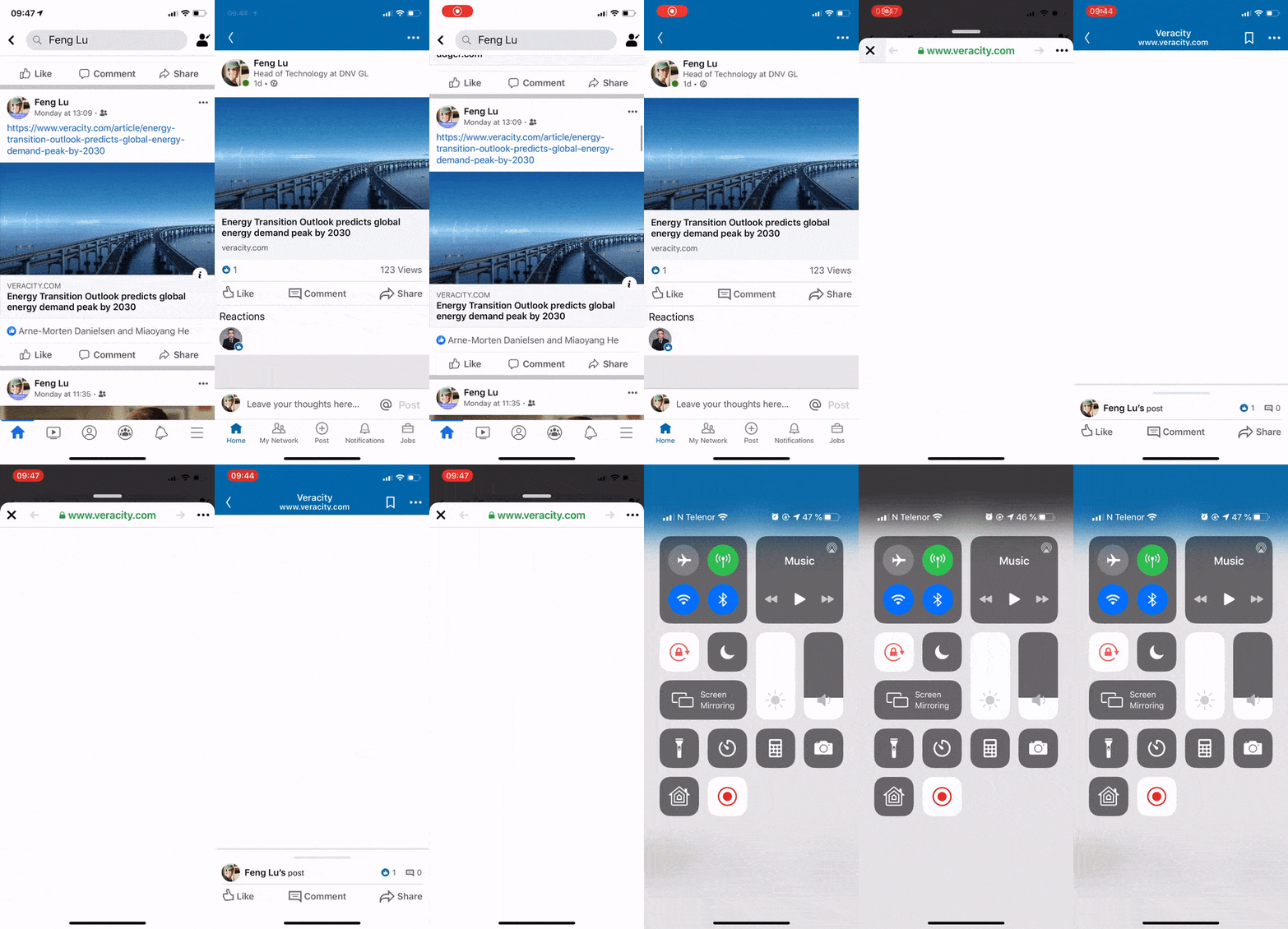
How to Decrypt Native App's HTTPS Traffic (and Debug for In-app Browser)

Problem with in-app browser of LinkedIn and Facebook iOS apps

Recently our QA reported an interesting issue regarding the native app and our website: When the webpage was shared on Linkedin iOS App and/or Facebook iOS App, the built-in browsers cannot show it correctly but a blank page.

  • This issue only happens on some of the iOS apps (see the list below).
  • Other iOS native apps have no problem.
  • Safari and Chrome for iOS have no problem.
  • All Android-based native apps have no problem.
  • All desktop browsers have no problem.

Read More

Share Comments

Jump-start Kubernetes and Istio with Docker Desktop on Windows 10

Here we will setup a single-node Kubernetes cluster on a windows 10 PC (In my case it is a surface 5 with 16GB RAM). If you are new to docker, feel free to check out Jump-start with docker.
We are going to setup:

  • A single-node Kubernetes cluster
  • Kubernetes dashboard
  • Helm
  • Isito (service mesh, including Kiali)
  • Deployment samples

Read More

Share Comments

Customize social sharing on Linkedin via API

(edited 10.06.2020: Updated how to get User ID as LinkedIn upgraded their endpoints)

Problem:

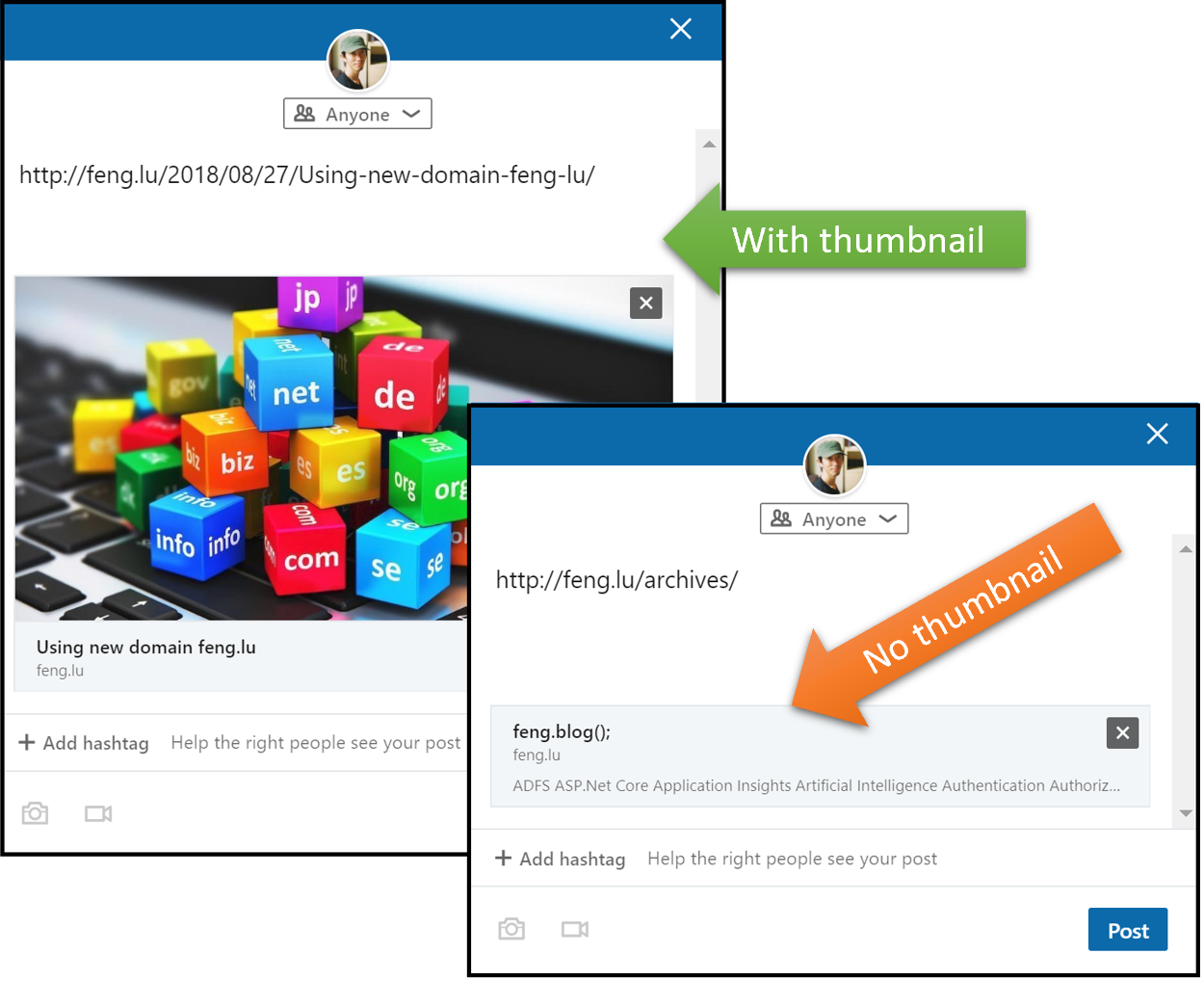
Nowadays it is pretty common to share articles on social media such as Facebook and Linkedin. Thanks to the widely implemented Open Graph protocol, sharing is no long just a dry url, but with enrich text and thumbnails.

However, there are still some web pages that do not have Open Graph implemented, which significantly reduces the readers’ willingness for clicking it.

In addition, even you introduced the Open Graph tags as a hotfix, some times you will have wait for approximately 7 days for linkedin crawler to refresh the preview caching, as mentioned in linkedin documentation:

The first time that LinkedIn’s crawlers visit a webpage when asked to share content via a URL, the data it finds (Open Graph values or our own analysis) will be cached for a period of approximately 7 days.
This means that if you subsequently change the article’s description, upload a new image, fix a typo in the title, etc., you will not see the change represented during any subsequent attempts to share the page until the cache has expired and the crawler is forced to revisit the page to retrieve fresh content.

Some solutions are here and here, but they are more like a workaround.

Solution:

We can overcome this issue by using linkedin API, which provide huge flexibility for customizing the sharing experiences.

Read More

Share Comments

Data Integrity and Lineage by using DLT, Part 3

Other articles in this series:

Recap

In the second part of this series, we have went though both the detailed technical design that is based on IOTA. Some quick recap are:

  1. Use MAM protocol for interacting with IOTA Tangle.
  2. Defined the core data schema (4 mandatory fields: “dataPackageId”, “wayOfProof” , “valueOfProof” and “inputs”).

Although the core data schema is quite easy to implement, companies and developers might meet some challenges to get started, such as:

  1. Developers need to build the knowledge of IOTA and MAM protocol.
  2. Need to build user interface for data lineage visualization.
  3. Companies most likely need to setup and maintain their dedicated infrastructure (Web server that runs IOTA server code, database, resource to perform Proof-of-Work, connection to neighbor nodes in IOTA network, etc), as public nodes from community are not stable.

Data Lineage Service - an open source application to get you started

We want to address above challenges, and help everyone to gain benefits of data integrity and lineage. Therefore, we have built “Data Lineage Service“ application. Developers and companies can apply this technology without deep understanding of IOTA and MAM protocol. It can be used either as a standalone application, or a microservice that integrates with existing systems.

The key functions are:

  • Wrapped IOTA MAM protocol to well-known HTTP(s) protocol as standard Restful API, with swagger definition. Developers do not need to worry about MAM protocol and it technical details, but focus on the normal data pipeline.
  • Reusable web interface for lineage visualization.
  • User-friendly interface for submitting data integrity and lineage information to DLT.
  • Built-in functionalities for addressing common issues such as caching and monitoring.
  • It is open-sourced on github with MIT license.

Read More

Share Comments