Git has a default color schema for showing information. However, sometimes it is difficult to read (especially for color blind people), such as below
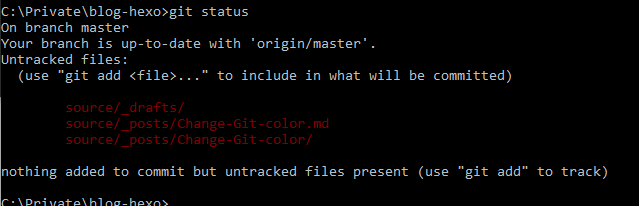
You can modify the color schema by editing the C:\Users\yourname.gitconfig file as below
Git has a default color schema for showing information. However, sometimes it is difficult to read (especially for color blind people), such as below
You can modify the color schema by editing the C:\Users\yourname.gitconfig file as below
Previously we have setup and published the hexo-based blog. The article source code and the hexo configuration files are under git version control.
As most hexo tutorials, the next step is to change the default theme. There are lots of themes that you can choose from. However, most of the theme simply ask you to clone itself under the themes folder.
In this case, we will use the popular theme NexT. Its document specified follow below steps:
1 | git clone https://github.com/iissnan/hexo-theme-next themes/next |
1 | theme: next |
1 | cd theme/next |
For most of themes (including NexT), we will have to modify the theme’s _config.yml file which is under the theme folder, in order to:
Naturally, you would like to have above modifications also under version control, so you check them in and push to Git.
Now, if you head to Github source code page, you will find an interesting grayed-out folder named “Next”
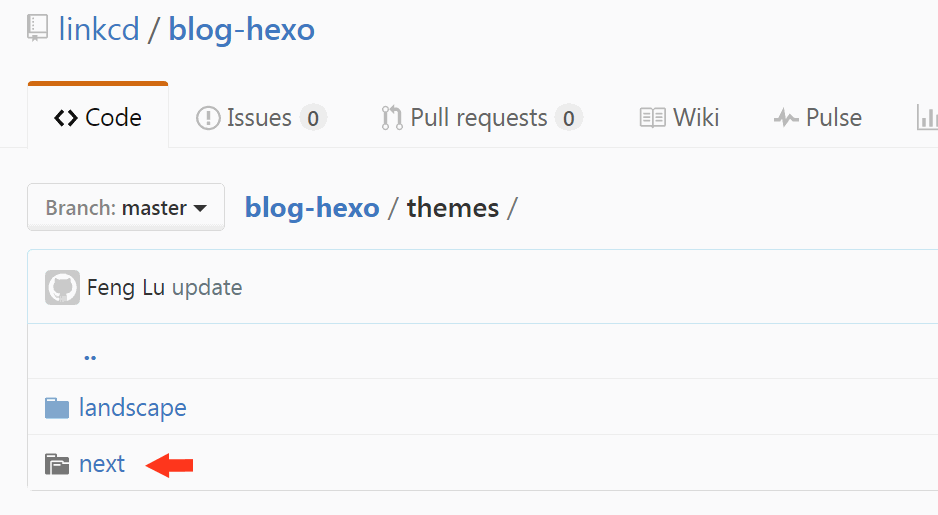
You also lost the possibility to browse the theme source code there.
Hexo is a simple and powerful blog framework that allows you setup your blog quickly and easily.
Instead of create the blog in https://wordpress.com/, I decided to setup and own the whole blog website. You can read a good discussion by Avinash Kaushik.
However, own a web site on interent is not easy. Normal maintenance tasks, such as backup database (your content) and apply security patch, are too much to a part-time blogger. Therefore, Hexo became a good solution: